
Malicious Traffic Detection via Log Analysis
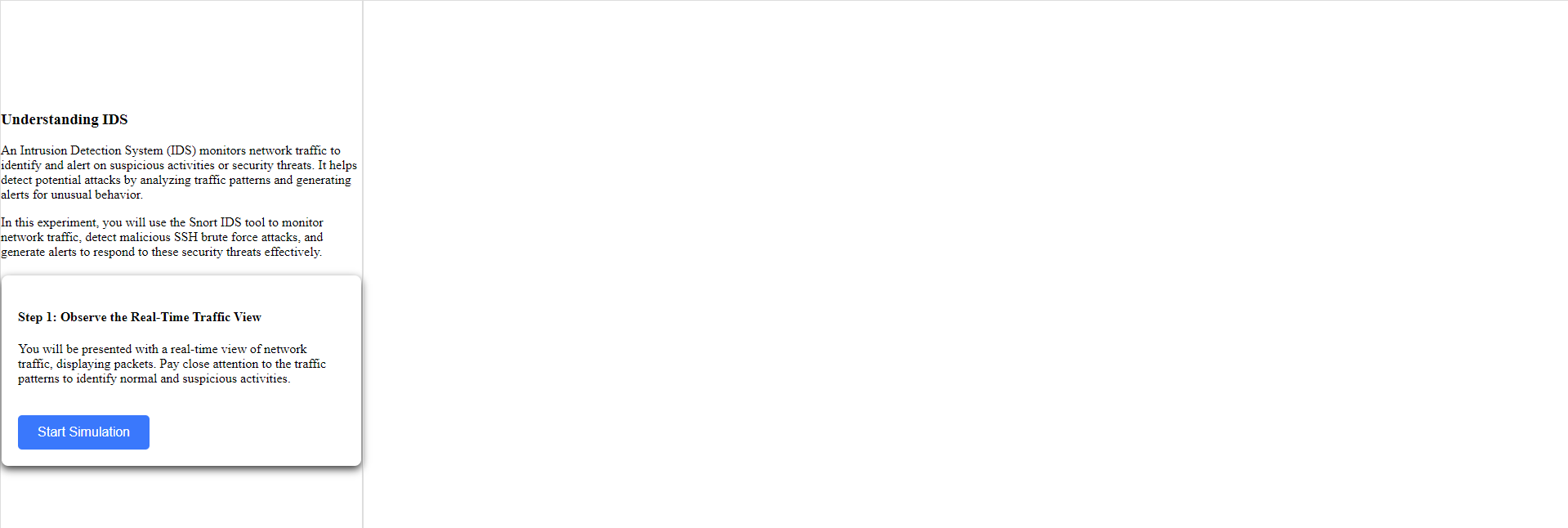
Step 1: Observe the Real-Time Traffic View
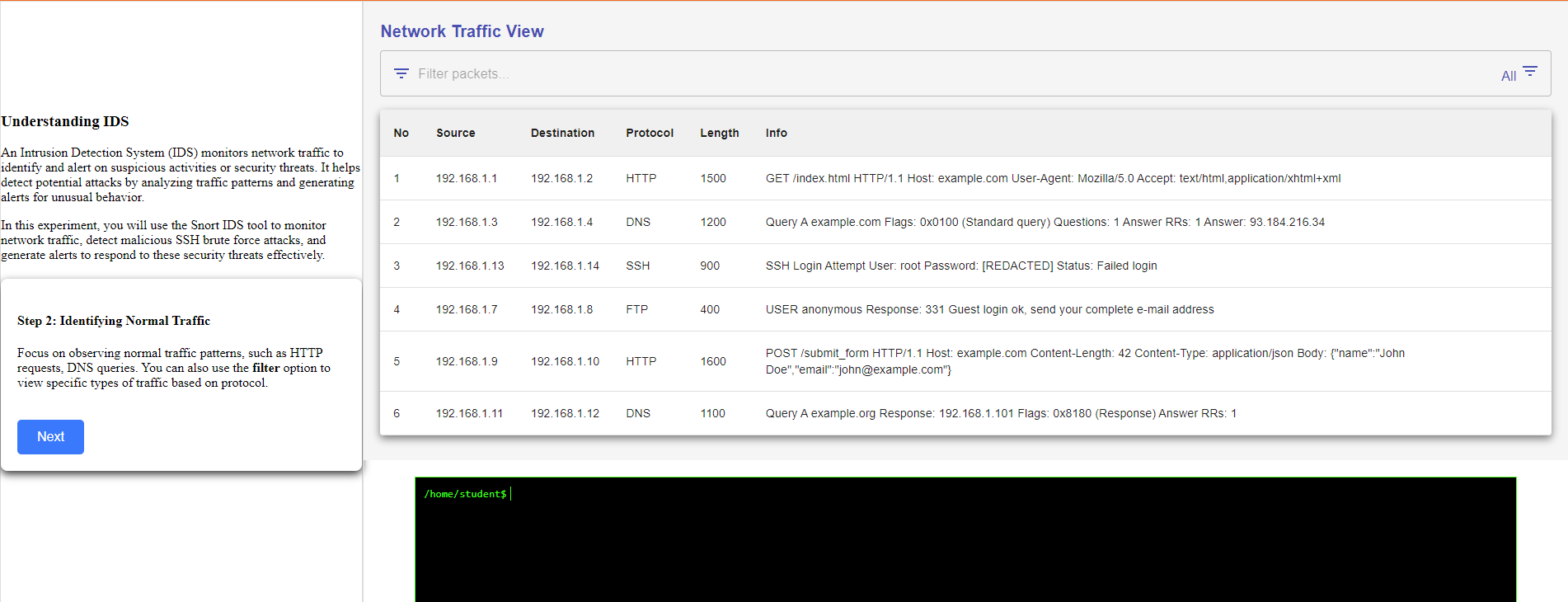
Step 2: Identifying Normal Traffic
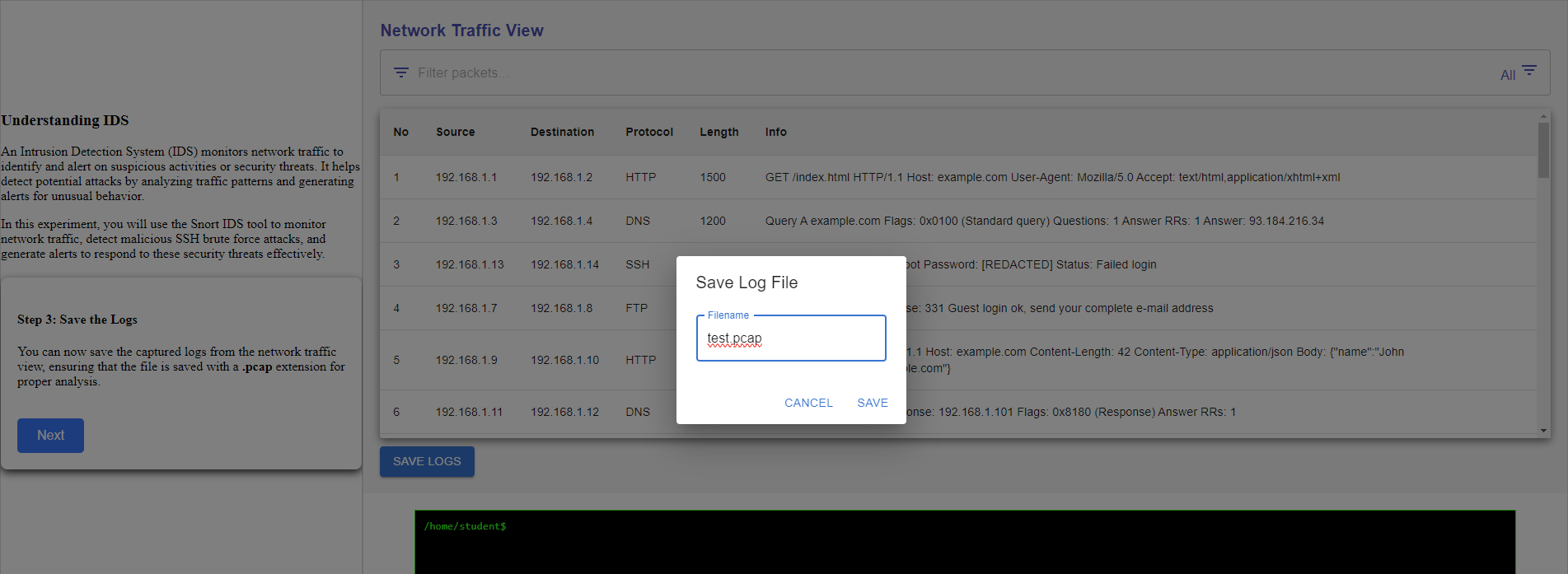
Step 3 :Save the Logs
Lets start to setup snort
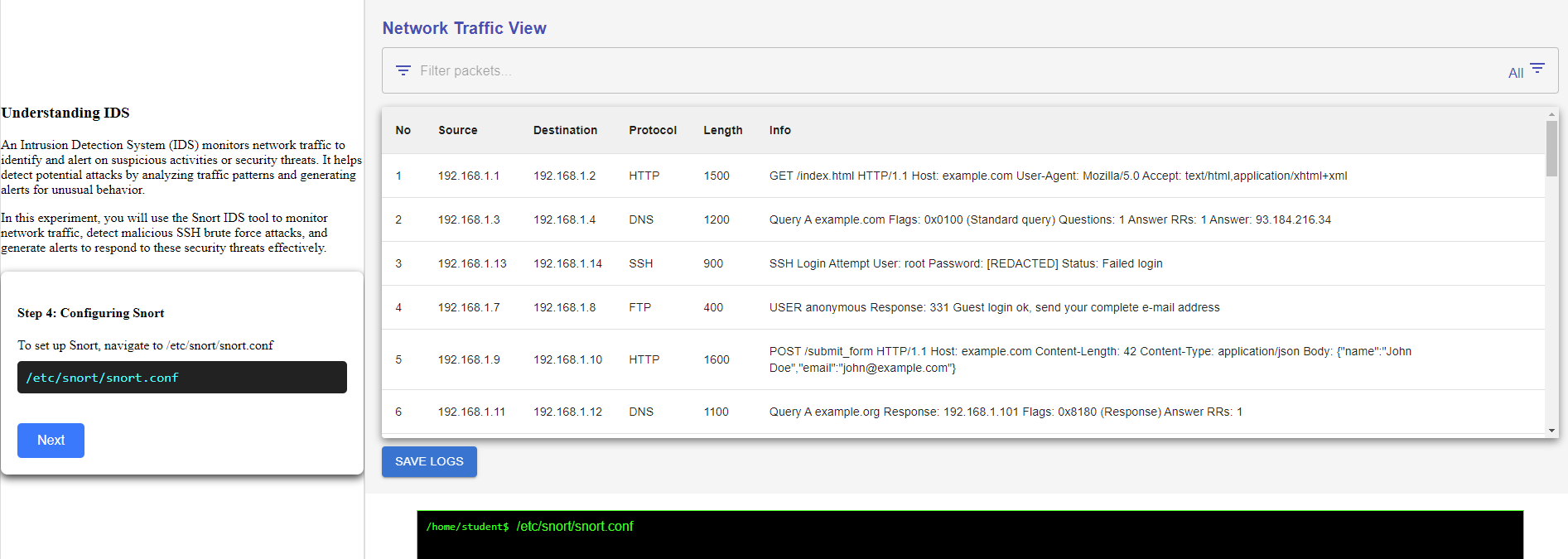
Step 4: To set up Snort, navigate to /etc/snort/snort.conf
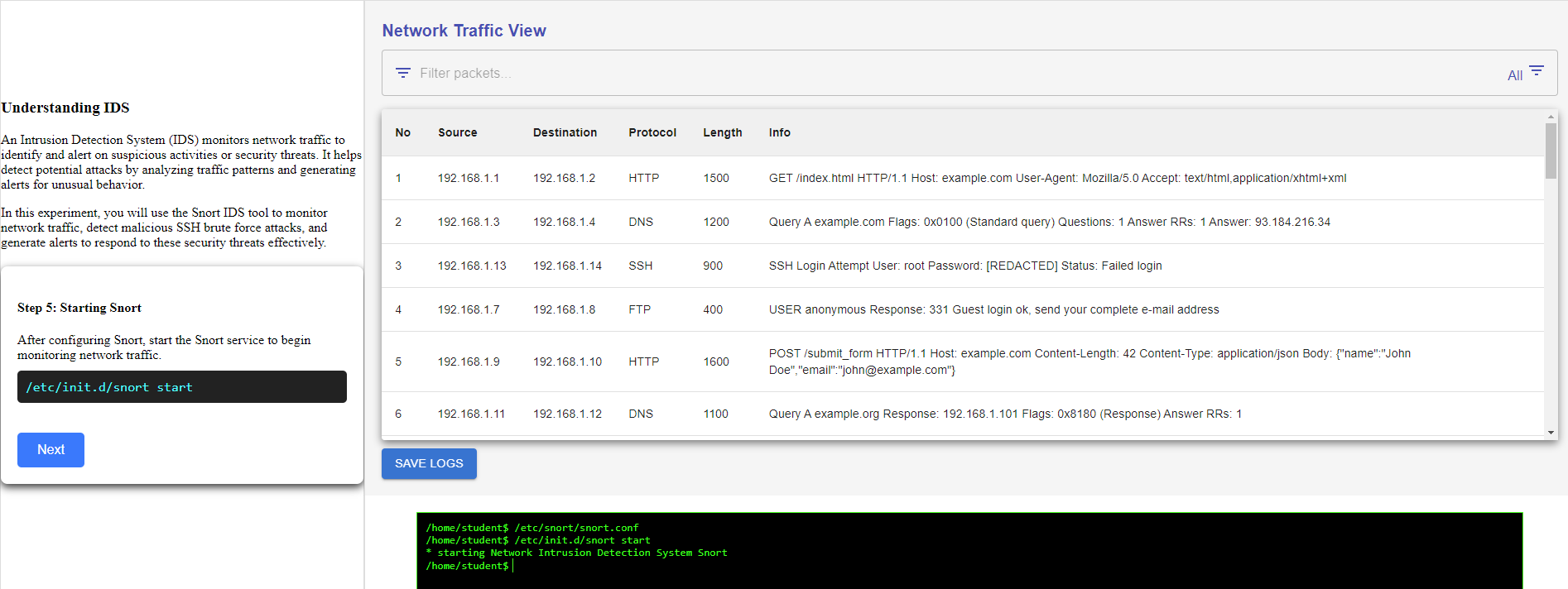
Step 5: after configuring Snort, start the Snort service to begin monitoring network traffic.
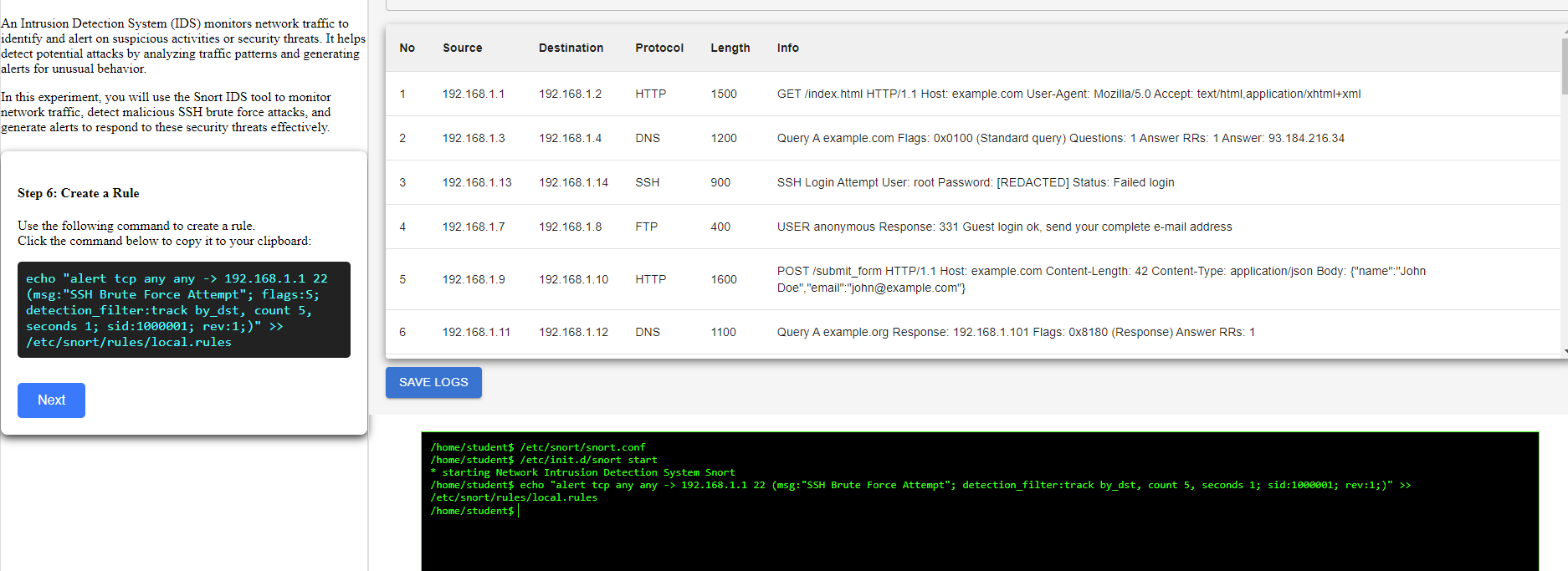
Step 6: use the following command to create a rule.
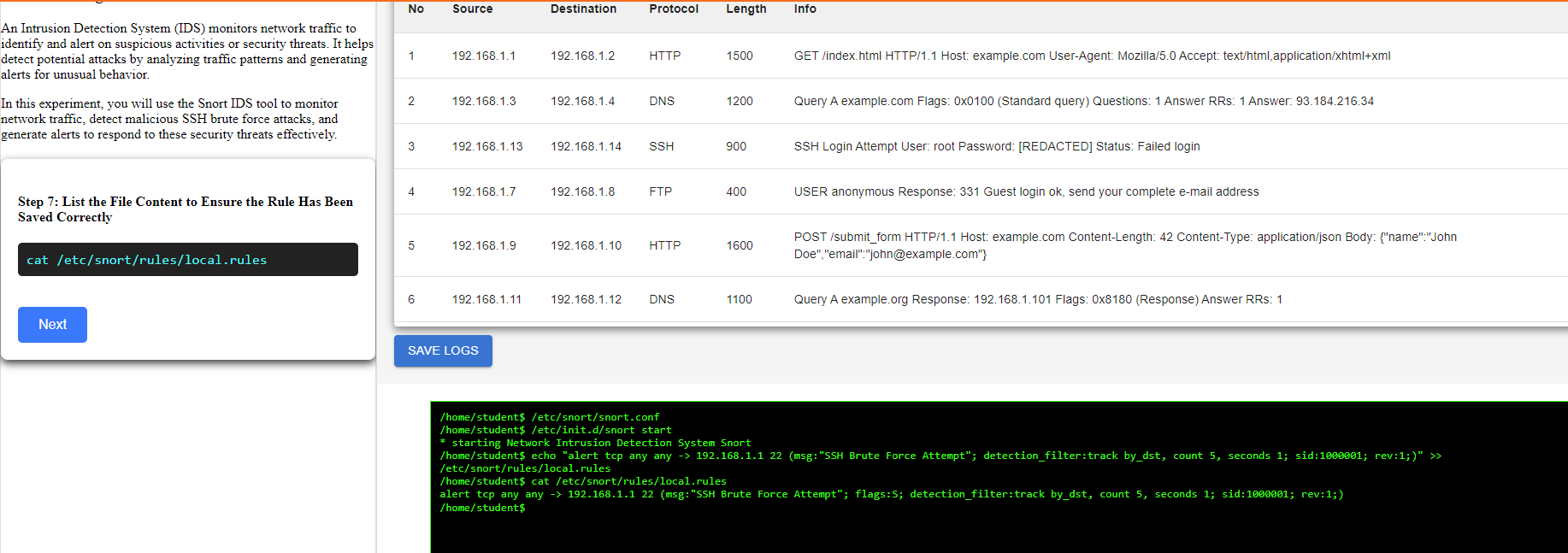
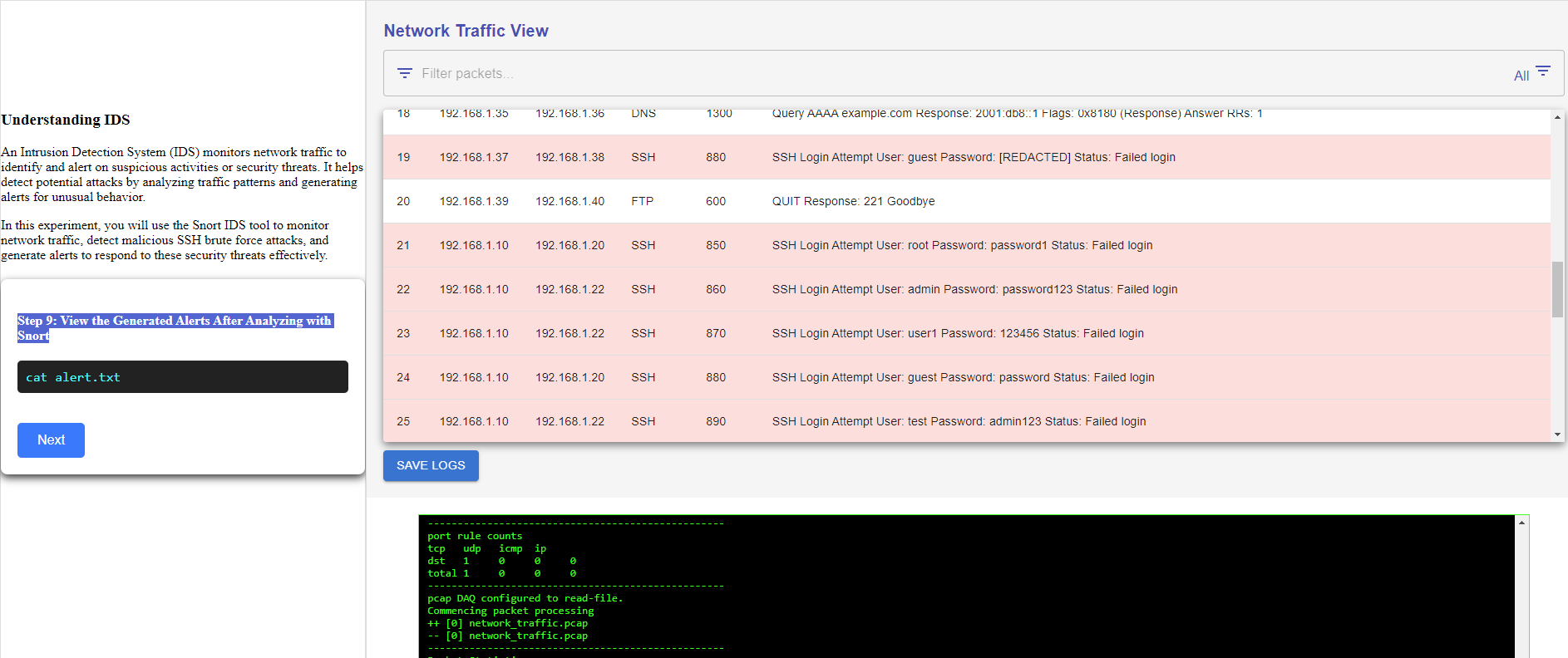
Step 7: List the File Content to Ensure the Rule Has Been Saved Correctly
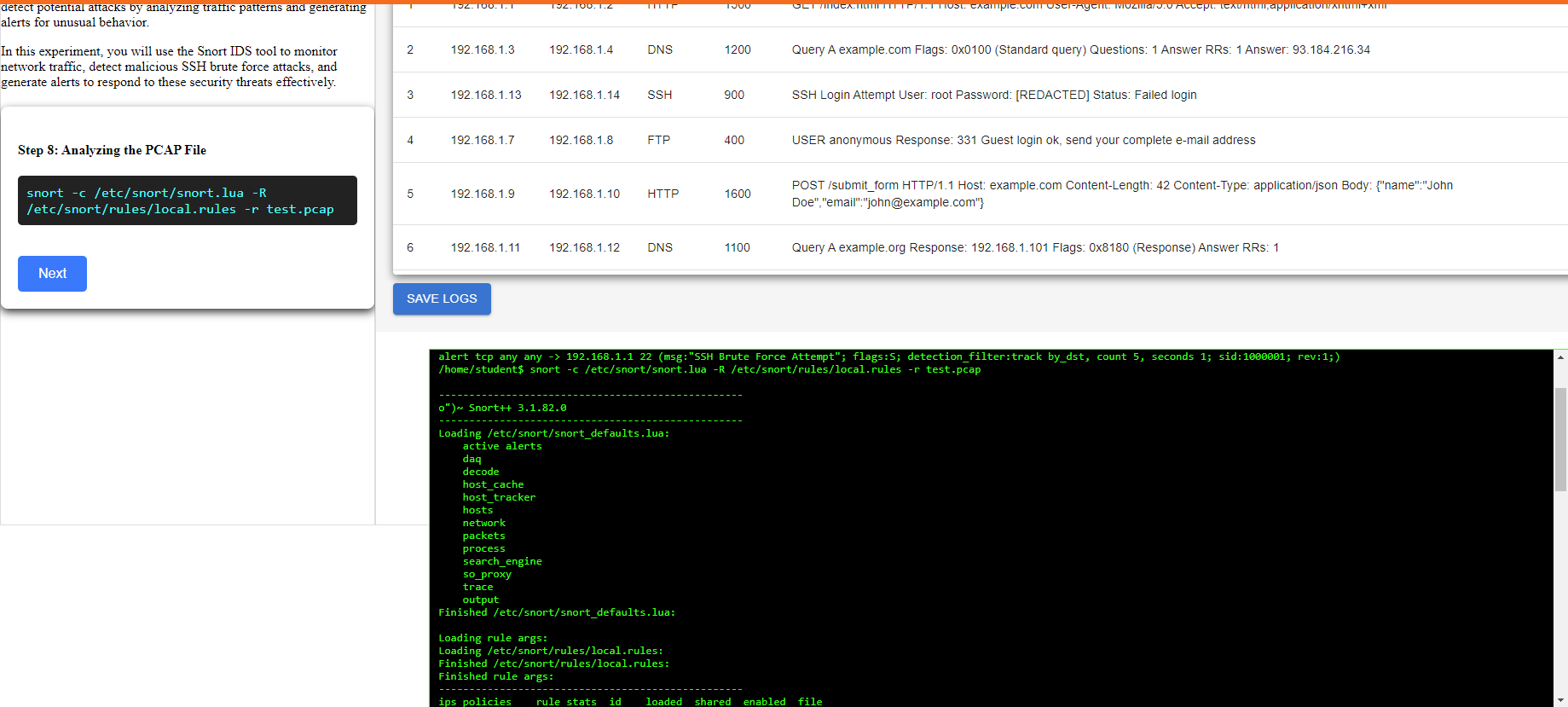
Step 8: Analyzing the PCAP File
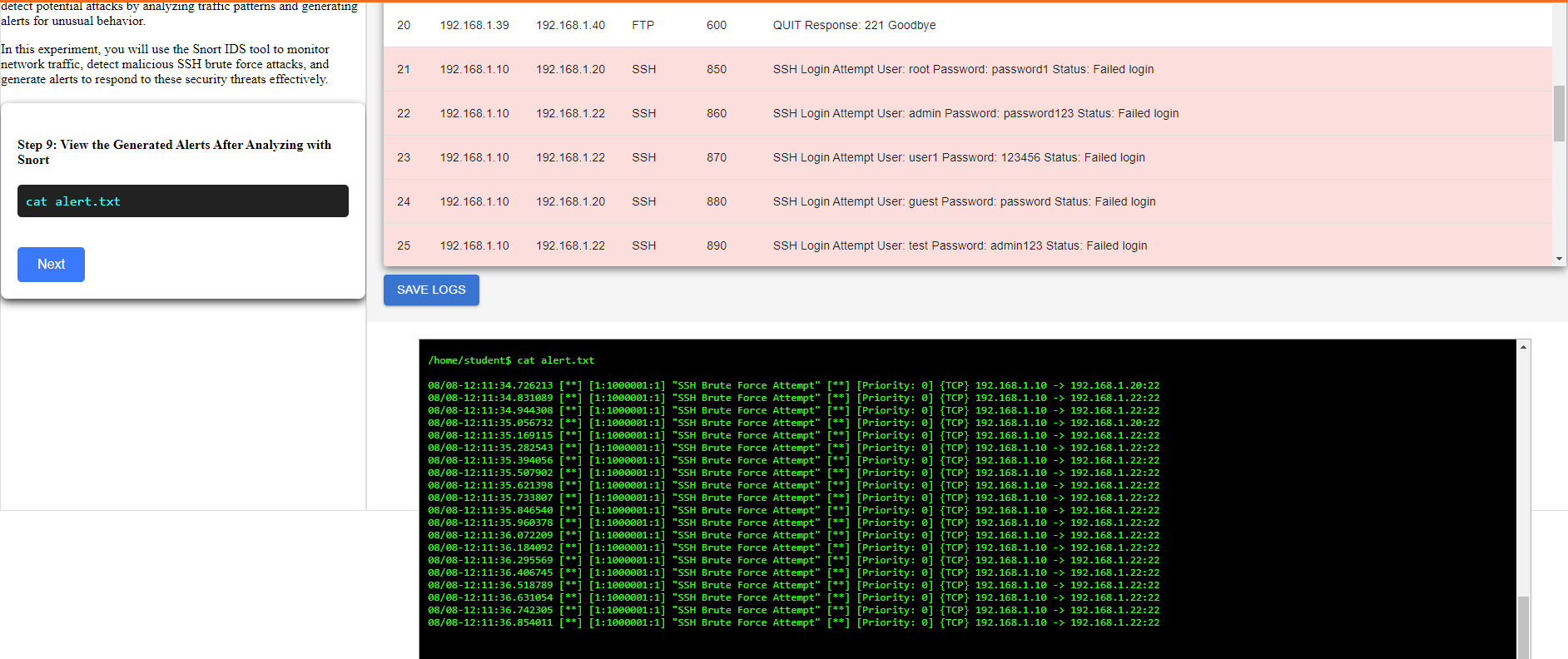
Step 9: View the Generated Alerts After Analyzing with Snort
Step 10: Investigating Malicious Activity
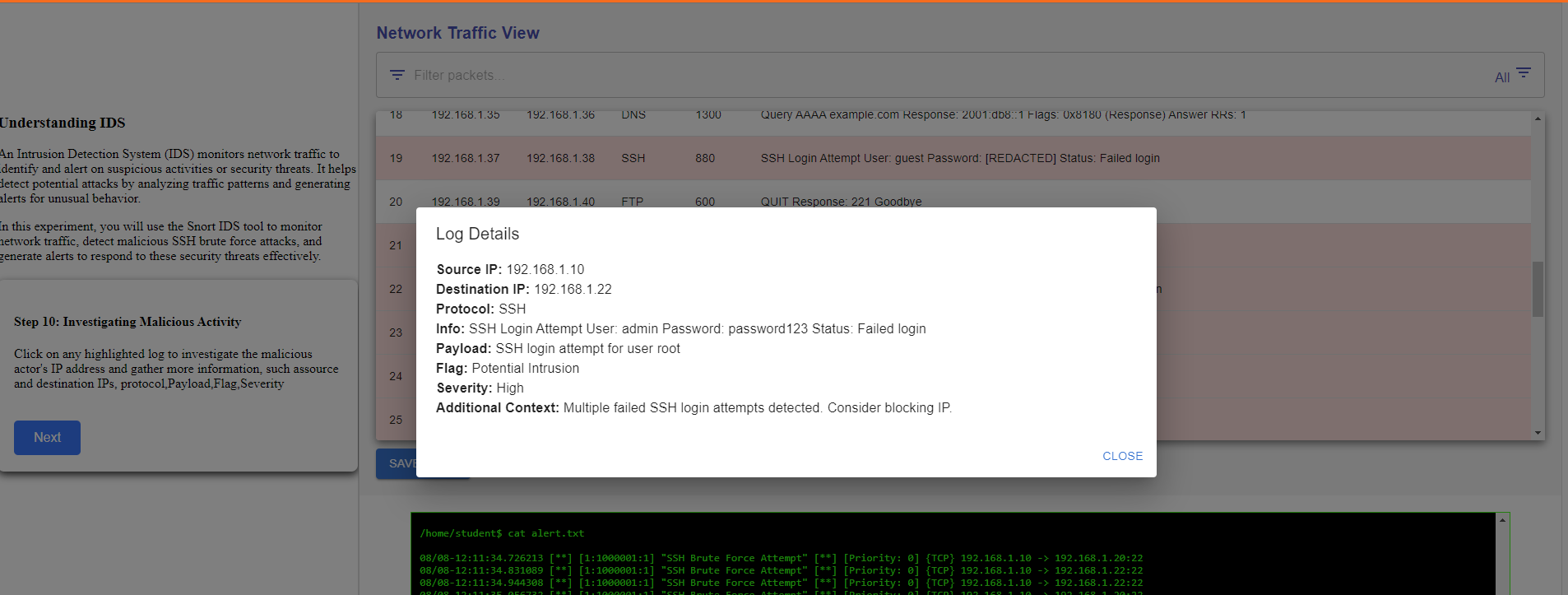
In conclusion, you effectively utilized Snort to analyze network traffic and identify malicious SSH brute force attacks amidst normal activity. By carefully examining traffic patterns and applying targeted Snort commands, you were able to successfully differentiate between benign and malicious logs.