Buffer Overflow Vulnerabilities and Exploits
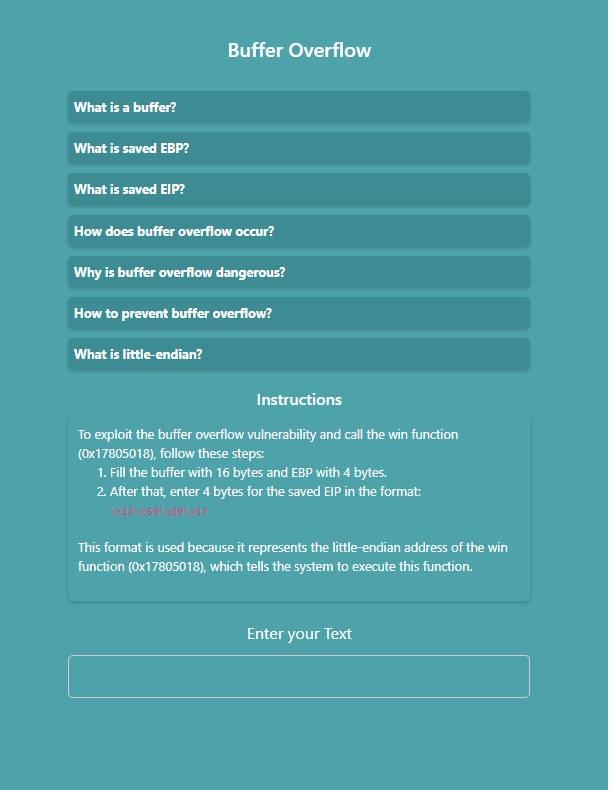
Read the instructions and prepare input
- Enter your text into the input field.
- Fill the buffer with 16 bytes and the EBP with 4 bytes.
- Then, enter 4 bytes for the saved EIP in the specified format.
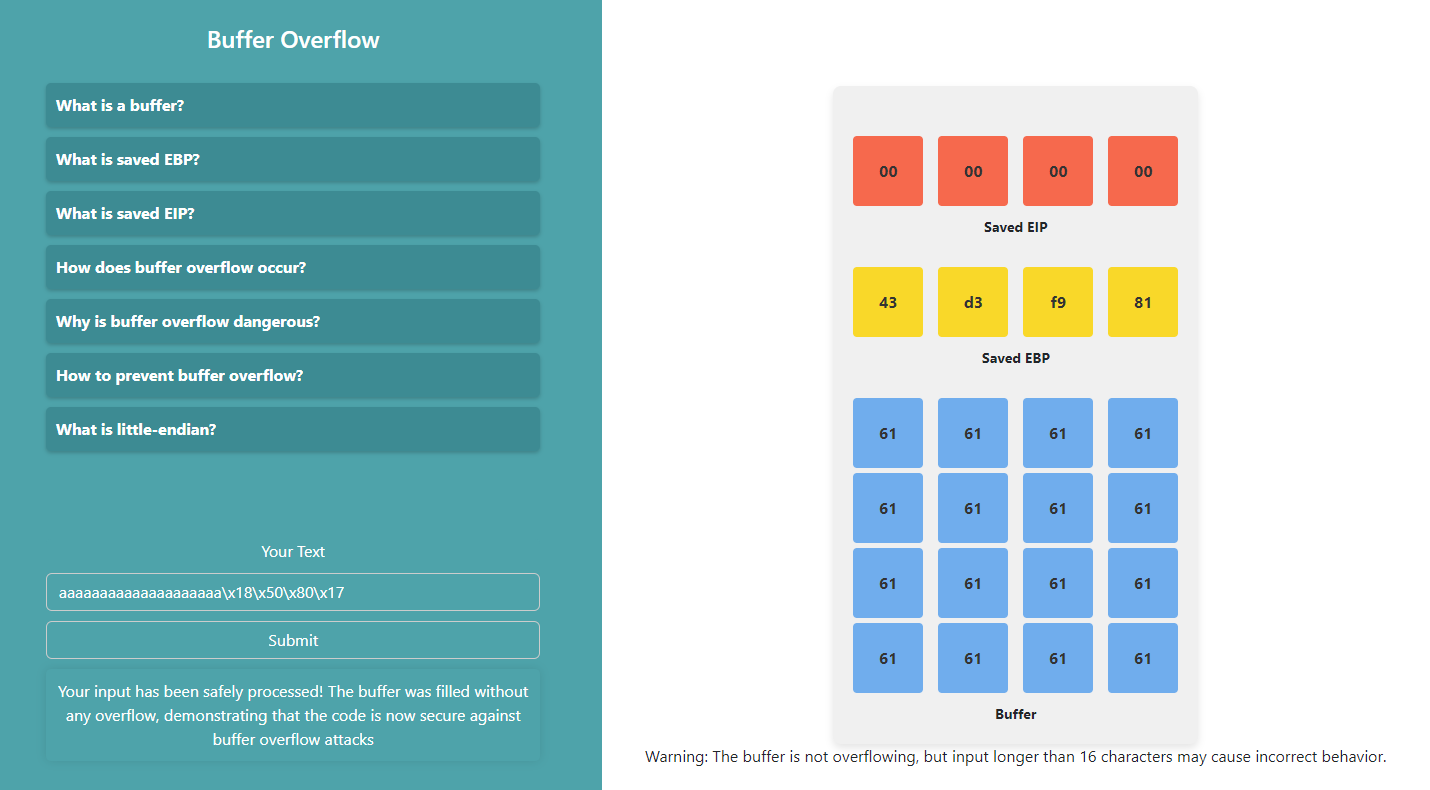
When characters are typed, the simulator places them into the program’s stack:
- First 16 characters → buffer
- Next 4 characters → saved EBP
- Next 4 characters → saved EIP
This demonstrates how extra input can overflow the buffer and overwrite critical values.
Analyze the buffer overflow
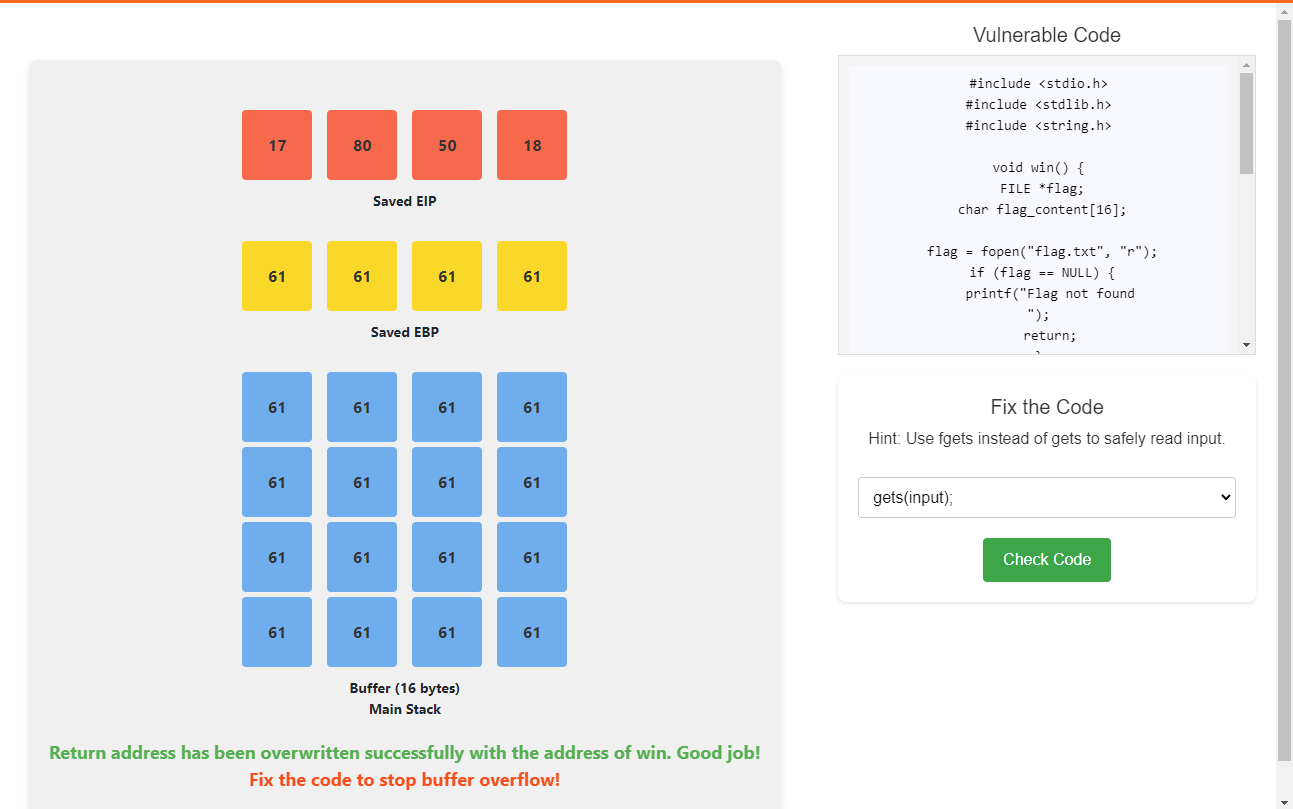
- Enter more than 20 characters to observe how the buffer overflows.
Fix the code
- Correct the vulnerable code.
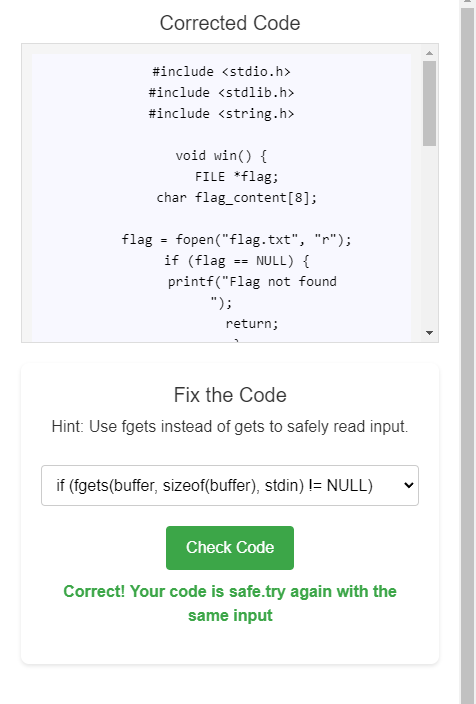
- Click the Check button to verify your fix.
Re-test after fixing
- Submit the same input text again.
- Analyze the buffer behavior.
- This time, the buffer should not overflow.